












Smart Glass Touch Light Switch – Voice Control & WiFi Remote, Works with Alexa & Google Home
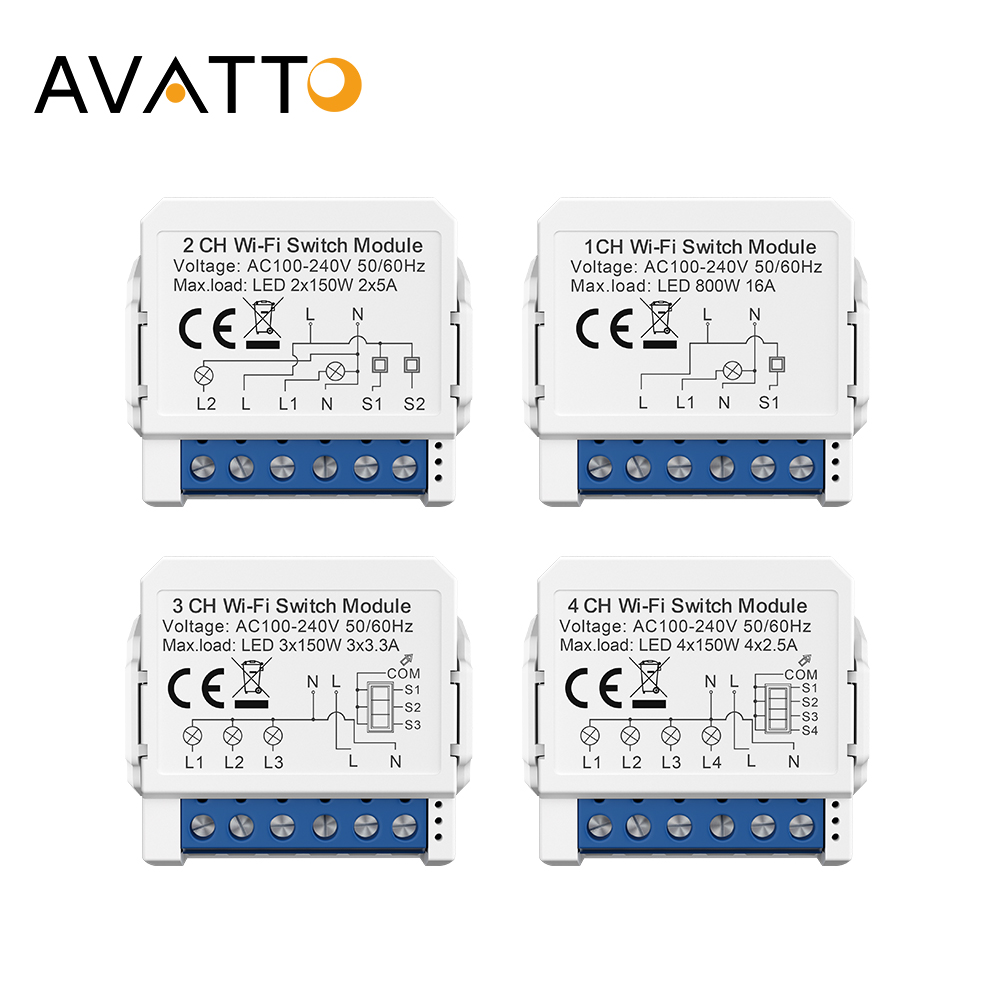
requires both live and neutral lines for power supply. Please confirm that your home’s wall switch wiring includes a neutral line before purchasing to avoid installation issues.
�� Core Smart Features You’ll Love
-
Hands-Free Voice Control: Fully compatible with Amazon Alexa (Echo, Echo Dot, Tap), Google Assistant, and IFTTT. No hub needed—just speak your command, like “Alexa, turn on the living room light” or “Hey Google, turn off the bedroom lamp”—ideal for when your hands are full.
-
Global WiFi Remote Access: Control your lights from anywhere in the world via the “Smart Life” app (free for iOS & Android). Whether you’re at work, traveling, or just on the couch, a single tap on your phone lets you turn devices on/off. The app also shows
real-time device status, so you’ll never second-guess if you left the lights on. -
Ultra-Sensitive Touch Panel: Crafted with premium tempered glass, the touch response is instant and accurate. Rigorous testing proves it can withstand up to 20 million touches—durable enough for years of daily use. The sleek glass surface also adds a modern, elegant touch to your wall decor.
-
Flexible Timing Function: Set up to 8 groups of timers (single or repeat) and countdowns—even works offline! Program the switch to turn on the porch light at dusk, turn off the kitchen light after bedtime, or set a countdown for the bathroom exhaust fan. It’s your personal home scheduler for a more organized life.
-
Independent Circuit Control: If you choose multi-gang models, each circuit can be controlled separately. Manage multiple lights or appliances with precision, creating customized lighting scenes for different occasions.
�� Detailed Specifications
|
Parameter
|
Details
|
|
Power Supply
|
AC 100-250V (Universal Voltage, Global Use)
|
|
Maximum Current
|
10A per circuit
|
|
Maximum Power
|
2000W per circuit (Total maximum 2200W)
|
|
Wireless Standard
|
802.11 b/g/n (2.4GHz WiFi Required, 5GHz not supported)
|
|
Product Size
|
120*72mm (Compact Design, Easy to Install)
|
|
Security Mechanism
|
WPA-PSK/WPA2-PSK (Safe & Anti-Hacking)
|
|
Product Material
|
PC V0 Fireproof Material + Tempered Glass Panel (Fireproof, Anti-Scratch)
|
|
App Support
|
Smart Life / Tuya (Free for iOS & Android)
|
�� 3-Step Quick Setup
-
Prepare: Download the “Smart Life” app from App Store or Google Play Store, register and log in. Ensure the switch is correctly wired (live + neutral lines) and powered on. Connect your phone to a 2.4GHz WiFi network.
-
Enter Pairing Mode: Press and hold the touch button for 5-8 seconds until the indicator light flashes rapidly (2 times per second)—this means the switch is ready to pair.
-
Complete Connection: Open the app, tap the “+” icon in the top right corner, select “Light Switch” from the device list. Enter your WiFi password, follow the app prompts, and wait for the pairing to finish. When the indicator stays on, you’re all set!
Pairing with Amazon Alexa
-
First, complete the initial connection between the socket and the TUYA app following the setup steps below.
-
Download and open the Amazon Alexa app on your iOS or Android device, then log in to your Amazon account.
-
Tap the “More” icon at the bottom right corner, select “Skills & Games” from the menu.
-
Search for the “TUYA Smart” skill, click “Enable to Use”, and enter your TUYA account credentials to link the two accounts.
-
Alexa will automatically discover the smart socket. You can rename it (such as “Living Room Kettle Socket”) and start voice control immediately.
Pairing with Google Home
-
Ensure the smart socket is successfully connected to the TUYA app and stays online.
-
Install the Google Home app, log in with your Google account.
-
Tap the “+” icon at the top left corner and choose “Set up device”.
-
Select “Works with Google” and search for “TUYA Smart”.
-
Input your TUYA account info to bind. After successful binding, assign the socket to a specific room, and you can control it via voice or the Google Home app.
�� Connect to Voice Assistants (Step-by-Step)
1. Amazon Alexa
2. Google Home
��️ Certified Quality & Worry-Free Warranty
12-month warranty—if you encounter any installation or usage issues, our support team will respond within 24 hours to offer professional solutions. Buy with zero risk!